Ready-made sequence diagram templates
Open one for the preview and the full code, and download PNG, SVG, Word or PowerPoint right there; “Open in the editor” lets you edit the text and pick a theme before exporting.
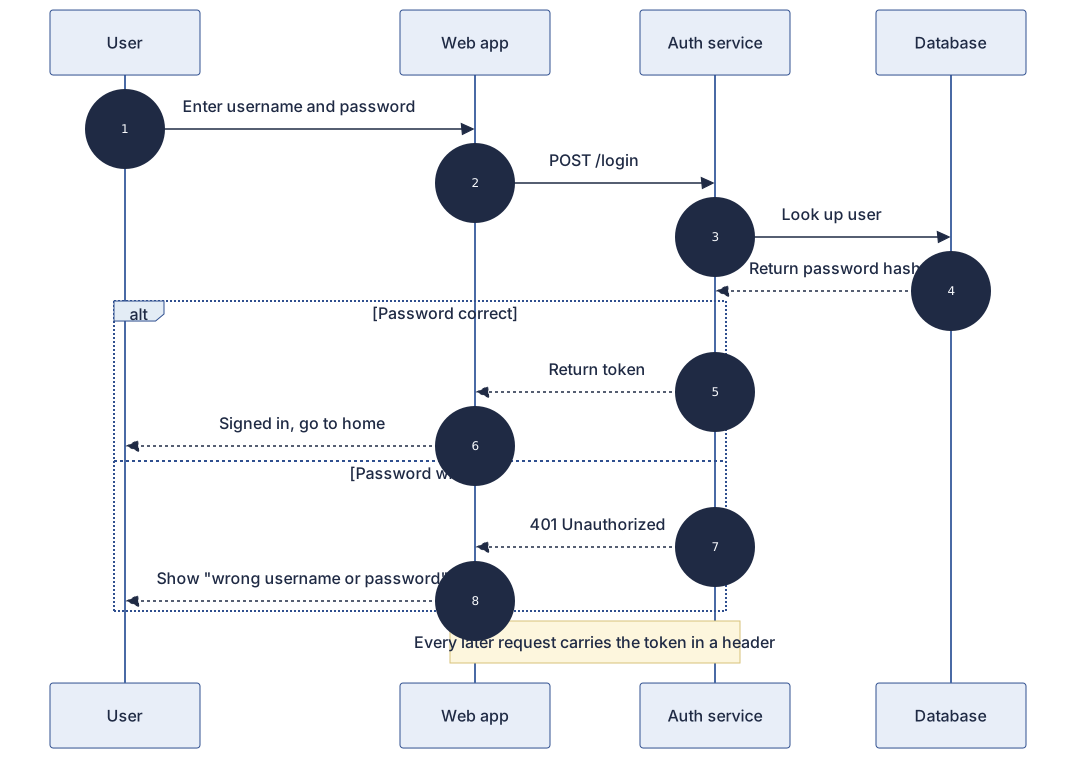
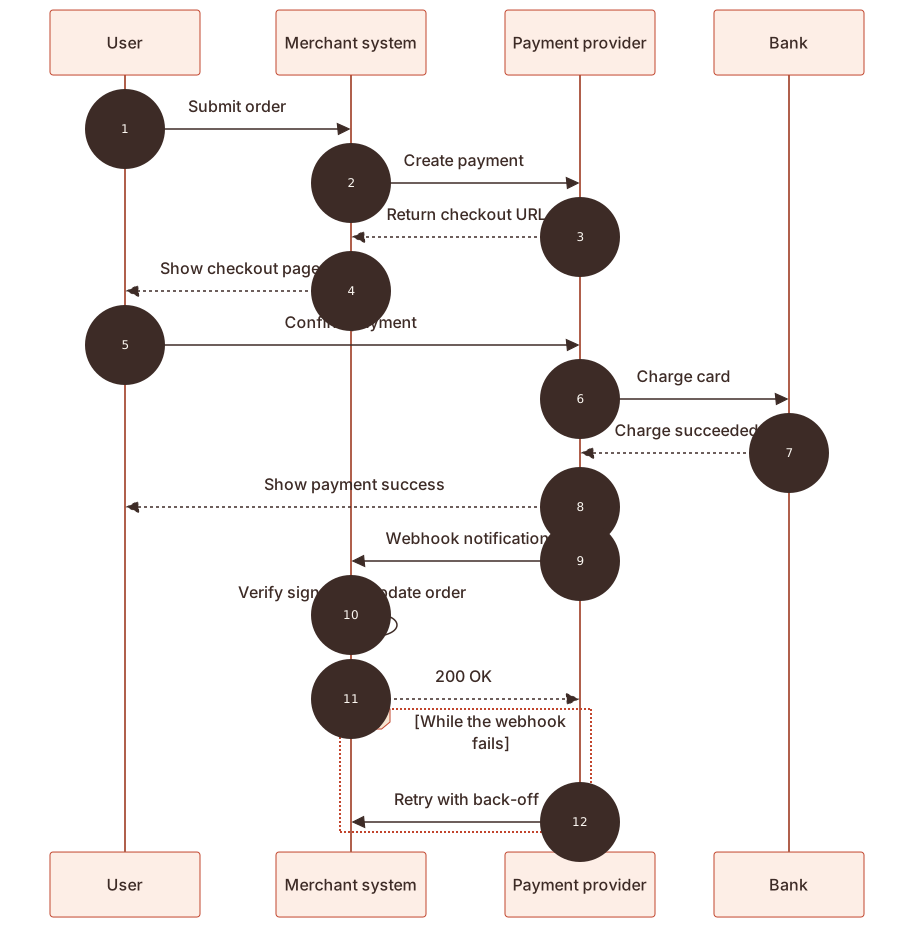
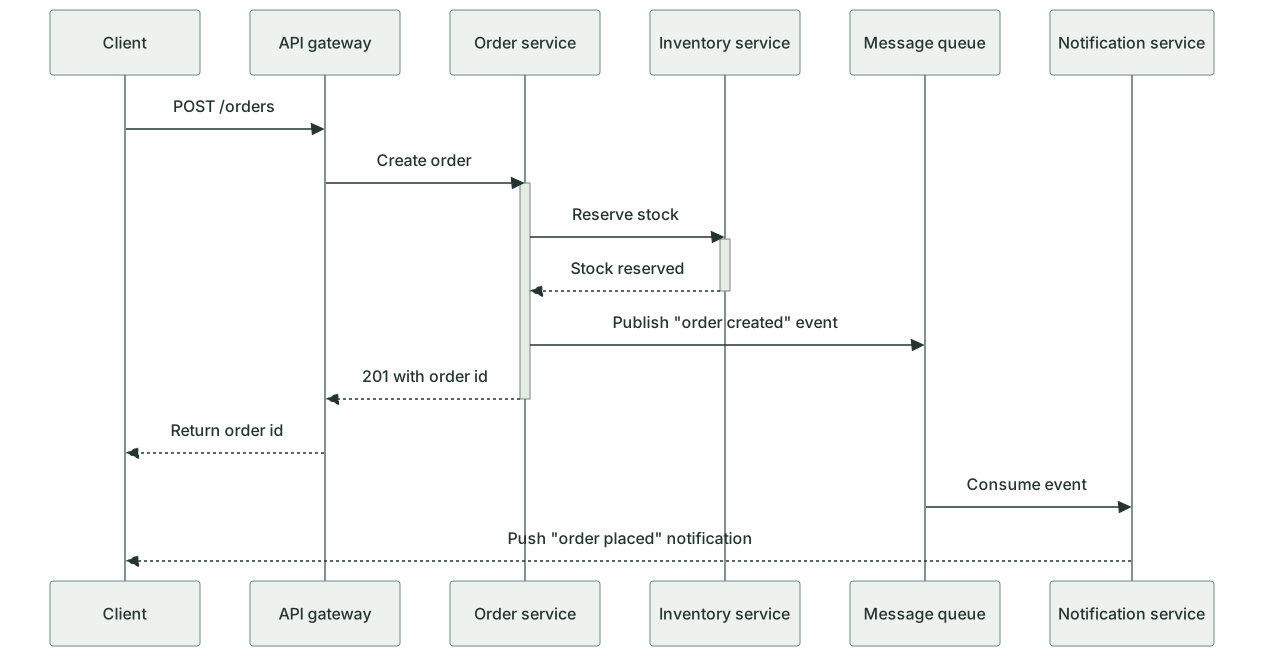
Three steps to a finished diagram
- 1Click "Open the example and edit it" above, or open the template closest to your interaction in the editor
- 2Change the participants and message text in the code; add a line for each extra exchange. Or send the prompt below to an AI assistant with your roles and steps and paste its whole reply
- 3Pick a theme, then choose Export to Word or Export to PowerPoint; for reports use the 3× PNG or the SVG
How to write a sequence diagram in Mermaid
Try it: copy this and paste it into the editor to render it.
mermaid
sequenceDiagram
    autonumber
    actor U as User
    participant W as Web page
    participant S as Server
    participant D as Database
    U->>W: Enter email and password
    W->>S: Send login request
    S->>D: Look up user
    D-->>S: Return user record
    alt Password matches
        S-->>W: Return session token
        W-->>U: Show home page
    else Password wrong
        S-->>W: Return error
        W-->>U: Ask to try again
end- Start with sequenceDiagram. participant A as User declares a participant with a display name, and the order of declarations is the left-to-right order; use actor for a person
- One message per line: A->>B: text is a solid arrow (a request) and B-->>A: text is a dashed arrow (a reply)
- Use alt condition … else other case … end for branches, opt … end for an optional step and loop … end for repetition
- autonumber numbers every message; Note over A,B: text adds a note above two participants
Ask an AI for your own version with this structure
Send the prompt below to ChatGPT or Claude with the parts in [brackets] replaced by yours, then paste the whole reply into the editor; the code inside is detected automatically.
prompt.txt
Draw a sequence diagram with Mermaid sequenceDiagram syntax. The scenario is [user login] and the participants from left to right are: [user, web page, server, database]. Declare them with participant and a display name after as; use actor for a person. The interaction is: [the user enters credentials on the page → the page sends them to the server → the server queries the database → ...]. Use solid ->> arrows for requests and dashed -->> arrows for replies, show success and failure with alt … else … end, and add autonumber on the second line. Output only the mermaid code block.
Frequently asked questions
- What is the difference between solid and dashed arrows?
- By convention a solid arrow is a call or request and a dashed arrow is the reply. In Mermaid ->> is solid and -->> is dashed. An asynchronous message can use -) for an open arrowhead.
- How is a sequence diagram different from a flowchart?
- A flowchart answers what happens first, what next and which way a decision goes. A sequence diagram answers which objects talk to each other, in what order and with what messages. For API calls, login or payment between several parties, a sequence diagram is more direct.
- How do I draw activation bars?
- Add + after the arrow to activate the receiver and - on the reply to deactivate it: A->>+B: request, then B-->>-A: reply. They must pair up; when they do not, the editor points it out and offers a one-click fix.
- There are too many participants and the diagram is too wide. What can I do?
- Merge participants that appear only once or twice, for example fold several internal services into Backend, or split the diagram by scenario: one for the normal flow and one for errors. An SVG stays sharp when zoomed.
- Can I show messages that happen in parallel?
- Yes. Wrap them in par first branch … and second branch … end; the diagram draws them as side-by-side regions labelled par.